
Digital Asset Management Taxonomy: A Metadata Design Guide
When teams cannot find an approved asset, they often commission a new one, and the library gains a second copy of work that already exists. A digital asset management taxonomy cuts that cycle by labelling every file with terms that match how people look for it.
Large asset libraries hold images, video, documents, and design files from many brands, regions, and agencies. A digital asset management taxonomy sets the rules for how teams sort and label those files. The metadata schema sets the facts that each file records about itself. Together, they decide whether a marketer in one region can find, trust, and reuse an asset that another team made.
This guide shows how to plan a digital asset management taxonomy for an enterprise library. It covers structure, field ownership, vocabularies, workflow rules, and measures.
What Taxonomy and Metadata do in an Enterprise Asset Library
Taxonomy is the structure that a library uses to sort its assets. It sets the categories, the allowed values in each category, and the links between values. For example, a market can contain several countries. Metadata is the information recorded for each asset, such as brand, campaign, usage rights, and expiry date. A digital asset management taxonomy decides which values are allowed. The metadata records which of those values apply to a file.
In a large library, the two have different owners and change at different speeds. The taxonomy changes when the business changes, such as a new product line or a new market. A central team usually owns it. Metadata changes whenever someone uploads, reviews, or withdraws an asset. Many people affect it each day. If a team treats both as one task, the structure often has no owner. The fields are then filled in unevenly.
Keeping the two apart in a digital asset management taxonomy gives three results:
- Search and filters stay consistent, because each field has one defined list of values.
- Rules can use the values, because usage rights, expiry dates, and approval status each have a fixed set of options.
- Change stays manageable; in systems that store values as shared terms, one edit can rename a product line across thousands of assets.
Where Digital Asset Management Taxonomy Design Fails at Enterprise Scale?
Projects fail because one team designs the structure while many teams use it. A central administrator may build a structure that makes sense to a librarian. A regional marketer, a creative director, and an agency producer each search with their own words. Within months, many fields are half empty, and one value appears under several spellings.
A digital asset management taxonomy for a large library tends to fail in five ways:
- One team designs the structure, and many teams use it. Users then skip fields or invent values when the labels do not match their own terms.
- Fields are added without an owner. The number of required fields then grows until users type placeholder values to finish an upload.
- Brands, regions, and agencies use different names for the same product, market, or channel, so filters return partial results.
- The structure stays fixed after launch, so new products and channels appear as free text that duplicates approved values.
- Teams map old values to new ones after a merger, an agency change, or a migration. The copies and empty spaces shift along with them.
A filter shows only the assets that carry the chosen value. Gaps in a field therefore make results look complete when they are not. A digital asset management taxonomy needs clear rules on required fields, field owners, and the way values change.
Choosing Between Categories, Metadata Fields and Tags
Each attribute of an asset can work in one of three ways. It can be a category in a hierarchy, a metadata field with controlled values, or a free tag. The choice affects browsing, search, governance, and workflow. It works best when a team makes it for each attribute and not for the whole library. Four questions guide the decision.
- How stable is the set of values?
- Will users filter on the attribute, or will a rule depend on it?
- Can an asset have one value or several?
- Who is accountable for keeping the values correct?
| Treatment | Suits Attributes That | Typical Examples | Main Trade-Off |
|---|---|---|---|
| Category in a Hierarchy | Have stable values, one primary placement, and a parent level that is useful for browsing on its own | Brand, business unit, asset type | An asset has one primary place, so attributes that cross categories need metadata instead |
| Metadata Field with Controlled Values | Are used to filter, govern, or trigger rules, and may take one or several values | Market, usage rights, approval status, campaign, product line, channel | Needs a named owner and a process for changing values |
| Tag | Describe content in open-ended terms and carry little governance risk | Scene content, colour, season, subject | Wording varies unless contributors choose from suggestions or a steward reviews new tags |
Hierarchy depth deserves the same check. A market that contains countries gives two useful filter levels, because teams plan and report at both. A campaign that contains quarters and weeks rarely needs the middle level.
Most enterprise libraries combine all three treatments. Categories help browsing, controlled fields support filtering and rules, and tags add descriptive detail. If a workflow rule depends on a value, that value belongs in a controlled field. Tags cannot guarantee the consistency that a rule needs. A digital asset management taxonomy is easier to run when each attribute has one clear treatment.
Designing the Metadata Schema
The metadata schema lists every field in a digital asset management taxonomy. Each entry has a definition, the allowed values, an owner, and a requirement level. Design work means deciding which fields are required at upload and which apply to the whole library. It also means deciding who fills in each one.
- Required Fields and Optional Fields: A field should be required only when the library needs it to find, manage, or send an asset to the right place. Typical choices are asset type, brand, owner, usage rights status, and approval status. Fields that add detail but do not affect governance or routing can stay optional or can be filled in automatically. Each extra required field reduces the care that users give to the others.
- Global Fields and Local Fields: Enterprise libraries serve groups with shared needs and groups with local needs. A practical design has a global core that every asset carries. It adds local extensions for specific groups.
- The global core holds fields such as brand, asset type, owner, usage rights status, approval status, and expiry date. The values are the same everywhere.
- Local extensions hold fields such as regional campaign codes or market notes. The group that needs a field defines it and registers it with the central team. This stops terms from duplicating global ones.
- Field Ownership: Giving each field one of four ownership types shows who fills it in, when, and who checks it.
| Ownership Type | How the Value is Set | Typical Fields |
|---|---|---|
| System-Generated | Read from the file or recorded by the platform at ingest | File type, dimensions, upload date, embedded metadata such as IPTC and XMP fields |
| Inherited | Applied once to a batch, campaign, or ingest template and passed to each asset | Brand, campaign, market, project code |
| Contributor-Entered | Entered by the person uploading, from a defined list or a short text field | Title, description, audience, channel |
| Steward-Reviewed | Set or confirmed by a named steward before the asset is published | Usage rights, expiry date, approval status, AI-suggested tags |
AI-assisted tagging belongs in the steward-reviewed group. Automated suggestions save time on descriptive fields. A steward should still confirm them before they affect search, rights, or approval. A model does not know the rules of the company.
- Documenting Each Field: Each field needs a short specification that users and administrators can both read. It covers the name, a plain definition, the allowed values, the owner, and the requirement level. It also shows which roles are able to make changes to the field once it has been uploaded. Without this record, teams read the same field in different ways. New staff then learn the rules from colleagues and not from the schema. A documented schema is the working core of a digital asset management taxonomy.
Building and Maintaining Controlled Vocabularies
A controlled vocabulary is a defined list of approved values for a field. A digital asset management taxonomy makes sure all teams use the same labels for the same things. The list needs to match the terms that people already use, and it needs a process for change.
Building the First Version
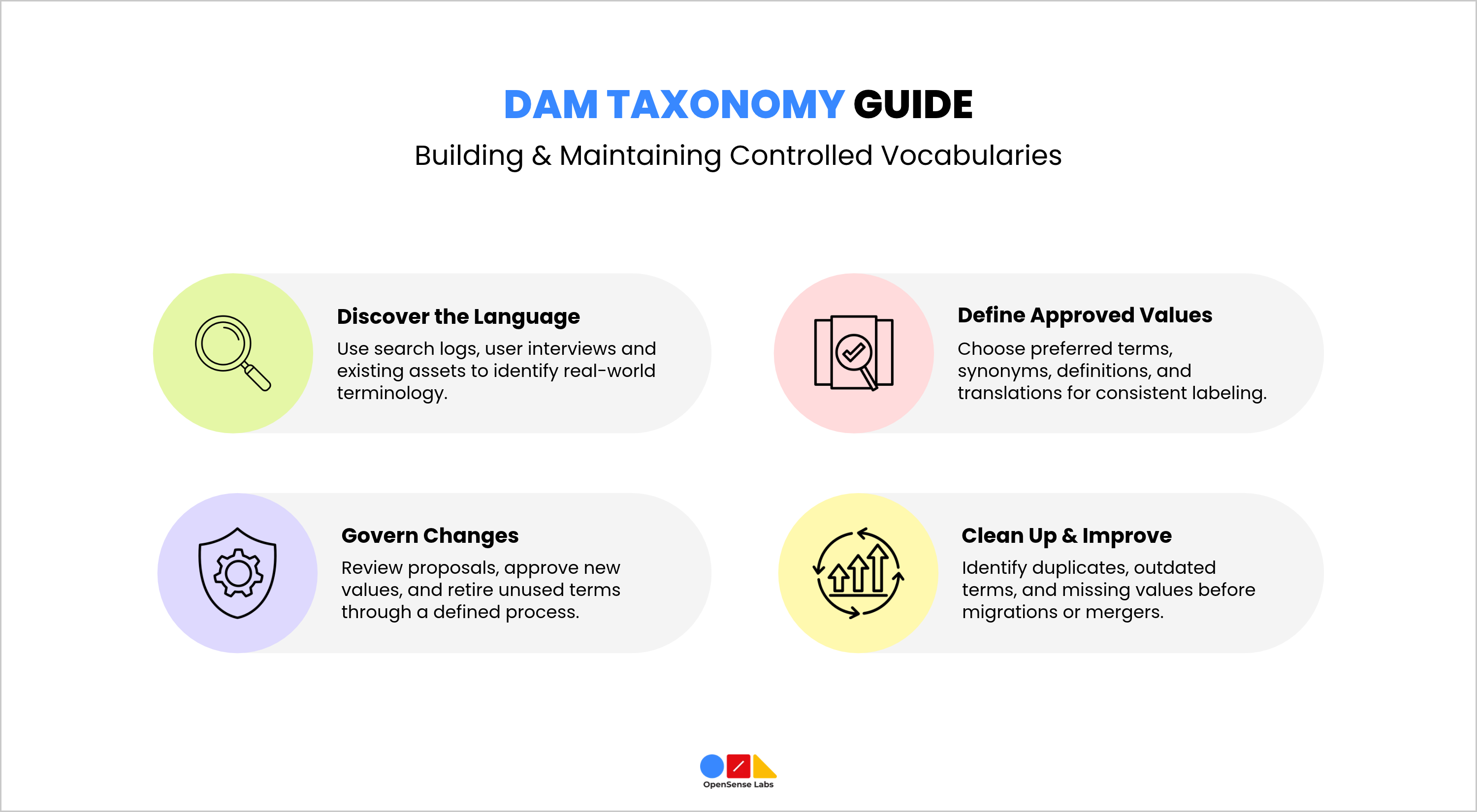
- Start From Real Search Behaviour: Search logs, interviews with users in each region, and a sample of current assets show which terms people use.
- Define One Preferred Term for Each Concept: Record synonyms and common alternative spellings against the preferred term, so that searches for either variant return the same assets.
- Write a Short Definition for Each Value: Users make better choices when they can easily see the differences between similar options.
- Link Translated Labels to One Underlying Term: A market team can then see values in its own language while reports and filters treat them as one value.
Managing Change After Launch
A vocabulary that cannot change gets bypassed. One that changes without control splits into duplicates. A workable change process has four parts.
- Anyone can propose a new value or a rename through a set channel.
- A named steward checks whether a current value already covers the request. The steward then approves the new value or points to the current one.
- Values that no one uses are marked as withdrawn. They stop appearing in upload lists, and current assets keep their history.
- If a field allows an "other" value with free text, review those entries often. They show which values are missing.
Migrations and mergers need extra care. Mapping old values to new ones carries over the errors of the old library. A review of duplicates, outdated terms, and blank fields should come before the mapping. This cleanup helps keep the digital asset management taxonomy organized and prevents it from changing in unwanted ways.
How Metadata Sets Digital Asset Management Workflow Rules
Metadata describes an asset, and it also determines what the library does with that asset. Once required fields hold controlled values, workflow rules can use those values to route assets for review, restrict availability, and prompt action before rights lapse.
| Metadata Value | Workflow Rule it Can Trigger |
|---|---|
| Approval Status Set to in Review | Routes the asset to the approver for its asset type and hides it from general search results until approved |
| Usage Rights Status Set to Pending or Restricted | Sends the asset to the rights holder or producer before it can be published |
| Expiry Date Within a Defined Notice Period | Notifies the asset owner, and after the date requires a review before further download |
| Market | Adds a localisation or regional review step and limits availability to approved markets |
| Asset Type | Determines which fields are required and which roles approve, for example, additional fields for video |
| Publication Channel | Allows connected systems such as a content management system to retrieve only approved assets with a matching channel value |
These rules depend on the schema decisions described earlier. A rule that reads approval status works only if the field is required, limited to defined values, and owned by a steward, which is why fields that trigger workflow belong in the global core with controlled values. Rules that rely on tags or optional fields produce inconsistent results, because some assets will lack the value the rule expects.
Workflow rules also need an owner. Someone should review whether routing paths still match the organisation’s structure whenever teams, markets, or approval responsibilities change, and the review should be scheduled and not left until something fails.
Taxonomy Maturity Stages and How to Measure Progress
Libraries tend to move through four stages as their taxonomy matures. Identifying the current stage helps a team choose the next improvement without attempting a full redesign.
| Stage | Characteristics | Signal That the Next Stage is Due |
|---|---|---|
| Folder-Led | Where something is stored serves as the primary way to organize it. The names given to files hold important information. Things are copied and kept in multiple places. | Users ask colleagues for files, and duplicates accumulate |
| Tagged | Tags and a few fields exist, vocabularies are partial, and search is better, but values vary | Filters return inconsistent results, and reports cannot combine data |
| Schema-Governed | Required fields, controlled values, named owners, and a change process are in place | Completeness is measured, but approvals and expiry are still tracked outside the library |
| Workflow-Driven | Metadata states trigger routing, expiry actions, and availability to connected systems, with scheduled reviews | Reviews show that rules and vocabularies keep pace with organisational change |
- Rolling Out the Design: A pilot with one team or one campaign tests the digital asset management taxonomy on real work before the wider launch. Observers can note where users hesitate, pick an unsuitable value, or use the "other" option. The team then adjusts the schema. Before go-live, the programme should name an owner for the vocabulary and set the date of the first review. It should also create brief training materials covering the necessary fields.
- Measures to Track: No single figure shows whether a digital asset management taxonomy works, so a small set of measures gives a clearer view.
- Completeness of Required Fields: The share of assets with a valid value in every required field.
- Search Success: The share of searches that end in a download, share, or use of an asset.
- Reuse: How often existing assets are used again in new campaigns or channels.
- Duplicates: The number of assets flagged as duplicates over time.
- Vocabulary Change: The number of requests for new values and the volume of free-text “other” entries.
- Time to Approval: The time assets spend in review states, broken down by asset type.
Each team should set its own baseline when it starts tracking. Later periods then compare with that baseline and not with figures from other companies.
An enterprise digital asset management taxonomy works when each attribute is handled in the way that suits it, with categories for stable browsing, controlled fields for filtering and rules, and tags for descriptive detail.
The metadata schema then assigns each field an owner and a requirement level, and global core fields keep values consistent across brands and regions. Controlled vocabularies and a defined change process keep those values accurate as the organisation changes, and workflow rules can then use the same values to route, restrict, and prompt action on assets.
OpenSense Labs provides a digital asset management system that automatically handles tagging, metadata, usage rights, expiry dates, and access permissions. See how it supports the taxonomy and workflow rules in this guide.

Newsletter abonnieren
Open-Source-Technologie begeistert Sie? Bleiben Sie mit Projekten auf dem Laufenden, die einen Unterschied machen.